
A plan built for you
Short questionnaire
Answer a few questions about your goal, experience, equipment and training days, and get a weekly plan with sets, reps and rest.
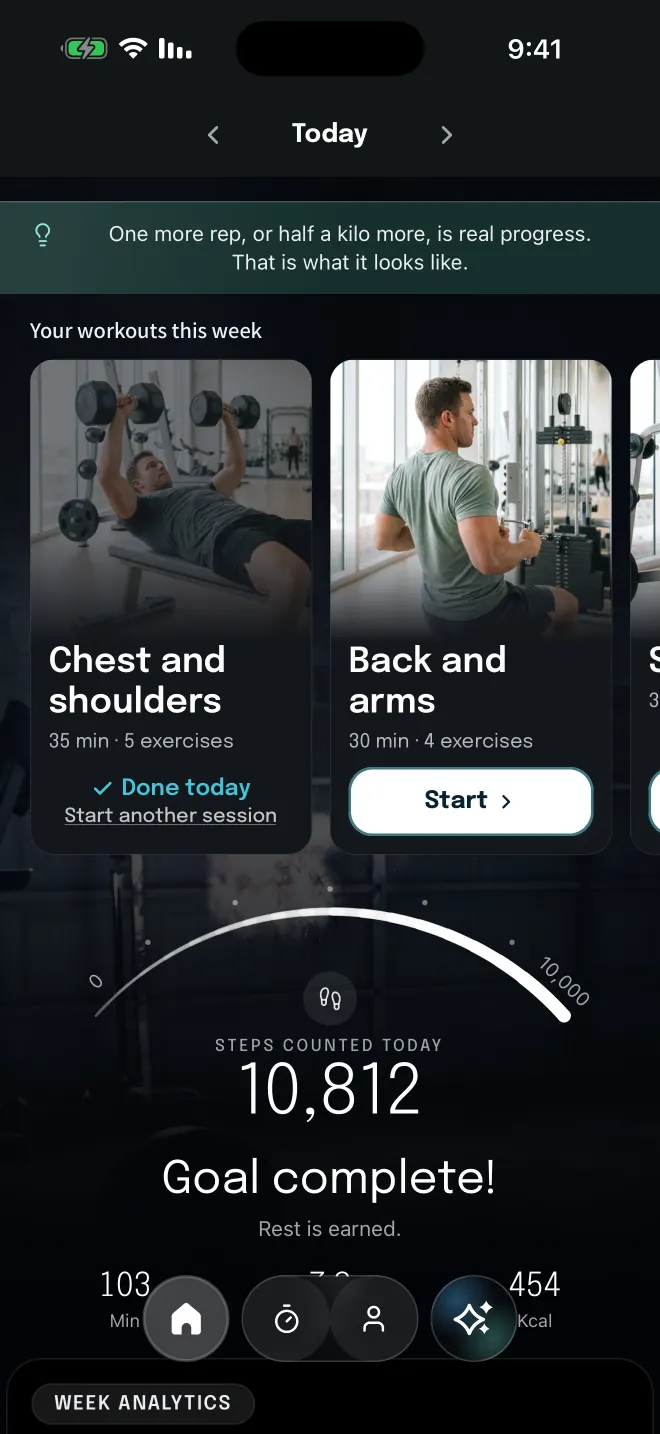
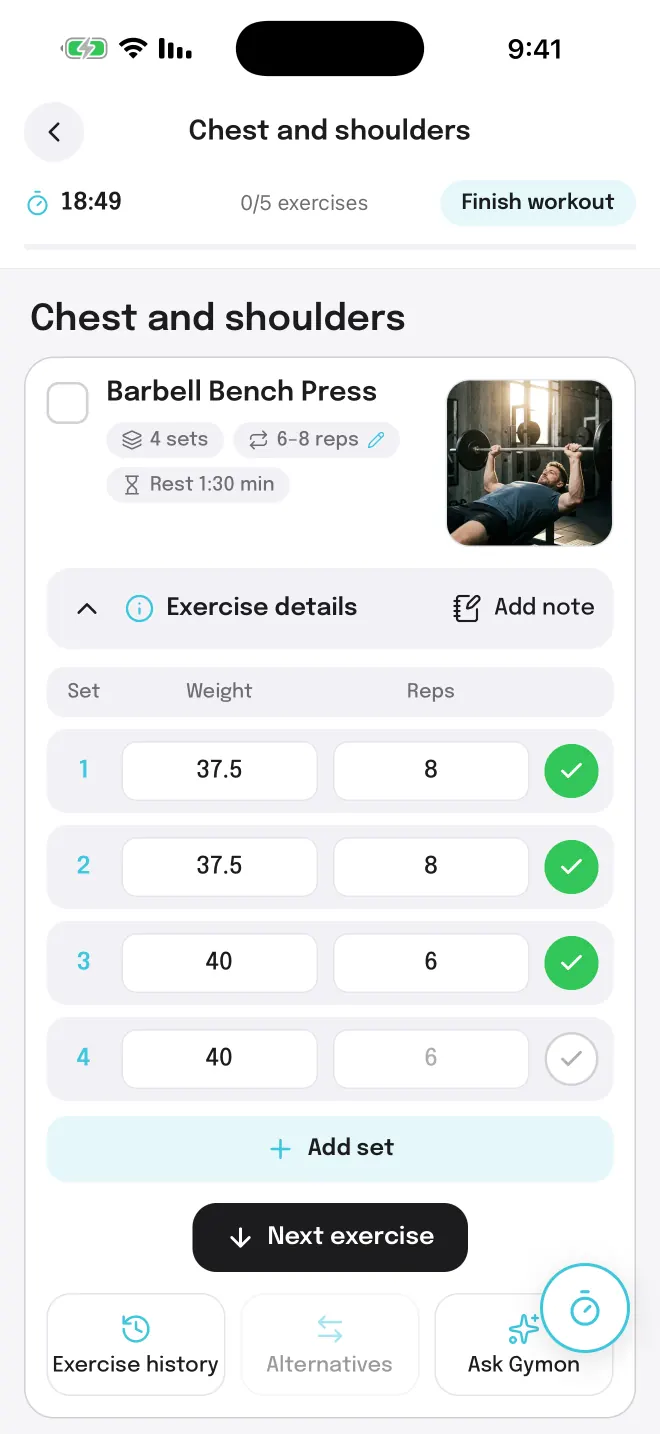
Workout log
Weight and reps for each set, with last time's numbers already filled in. Mark a set as done and the rest timer starts.
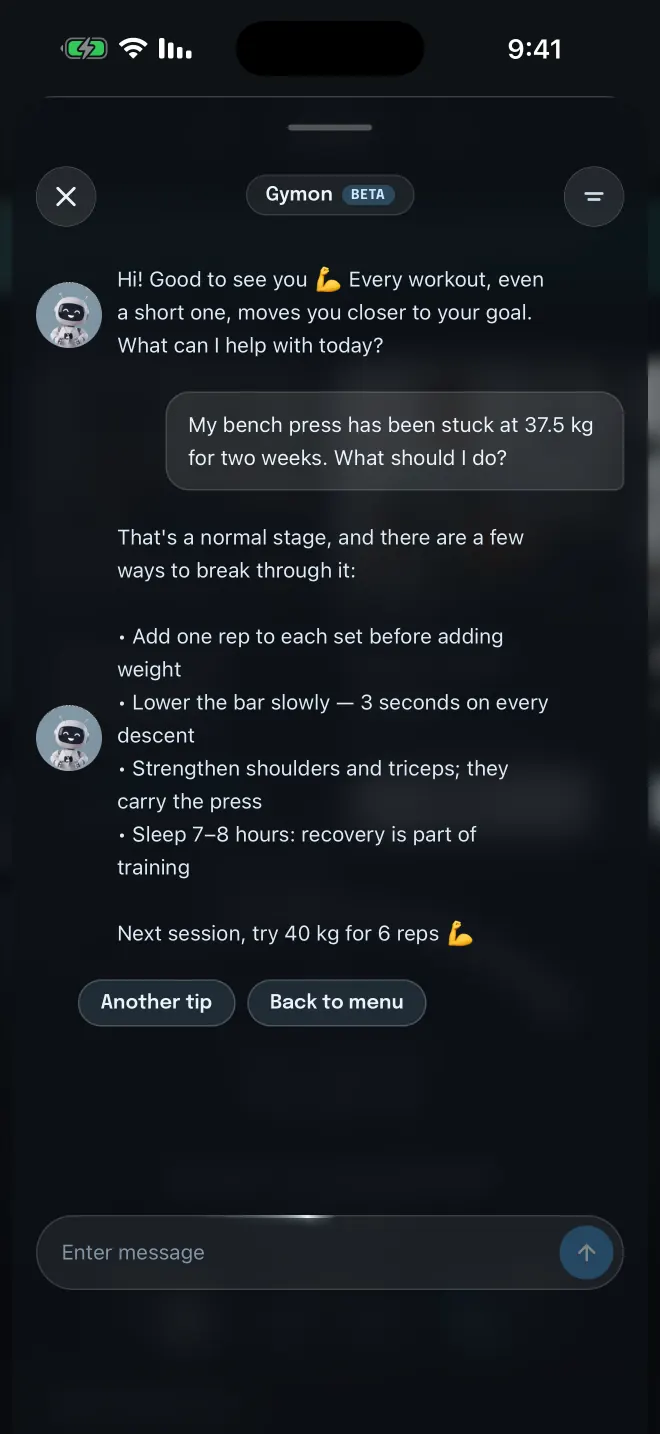
Chat with Gymon
Ask about a lift that won't budge and get practical ideas for the next workout.
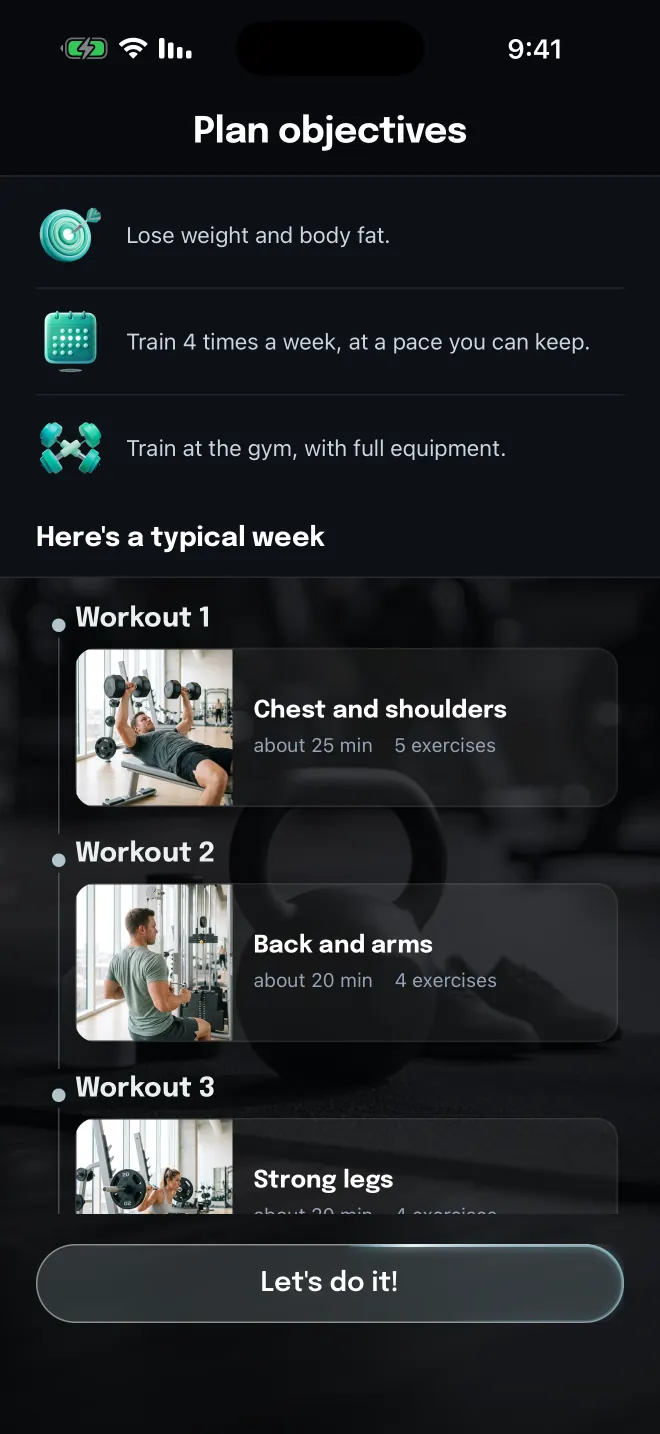
Your plan
Your goal, how often you train and where, turned into a typical week of workouts.
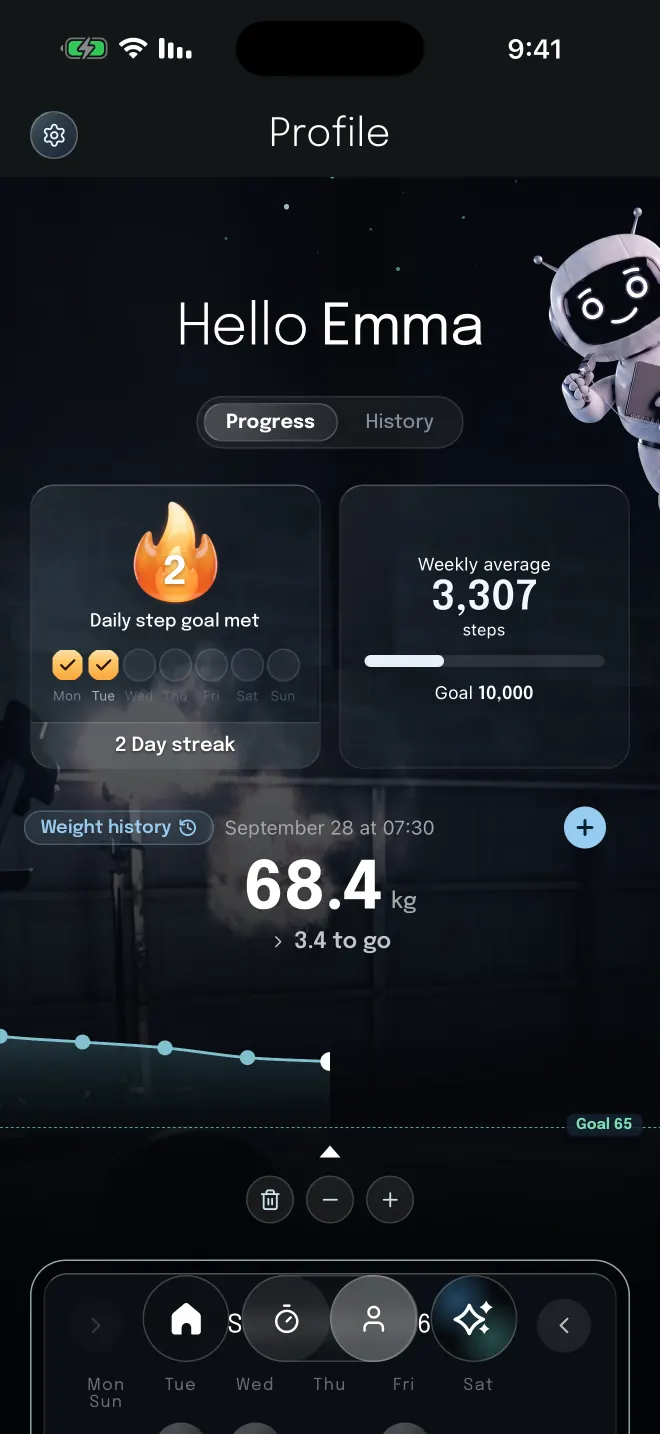
Profile
Your weekly step average, the days you hit your step goal, and your weight against your target.
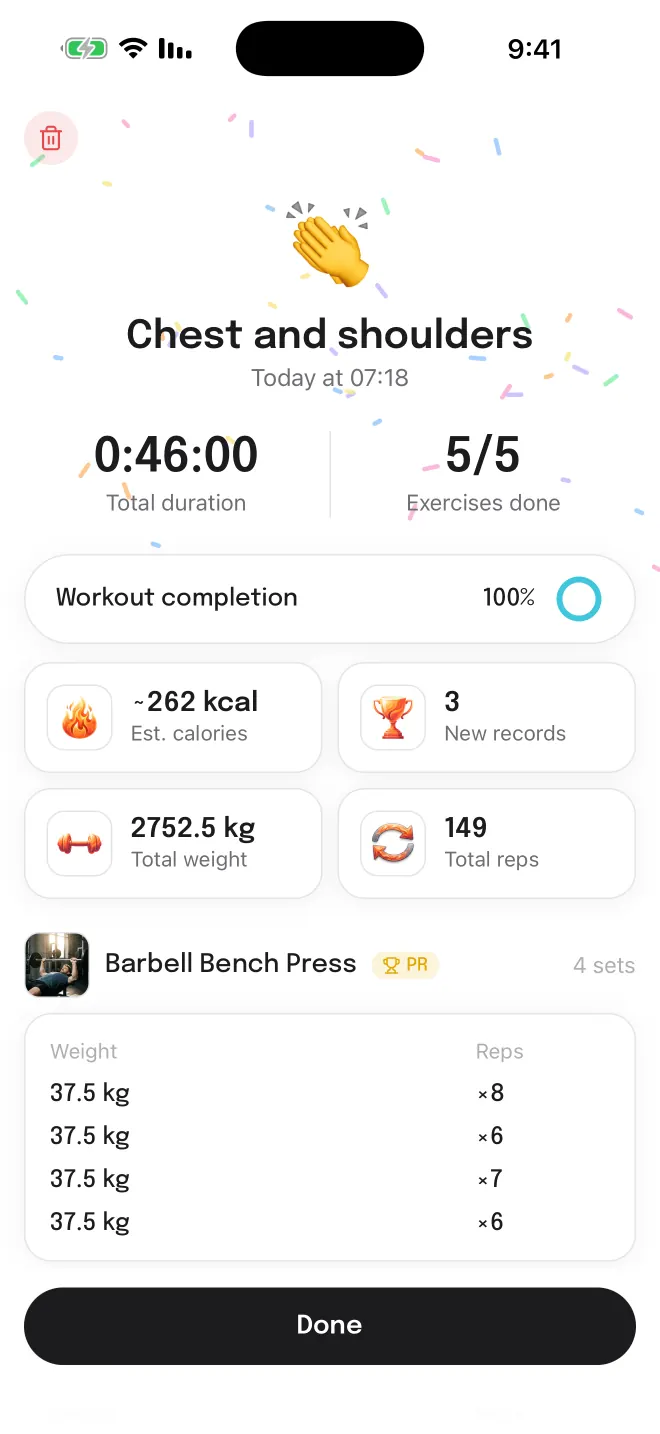
Workout summary
When you finish: the time, the exercises completed, the total weight lifted and every set.
A quick look at what the app does.
Short questionnaire
Answer a few questions about your goal, experience, equipment and training days, and get a weekly plan with sets, reps and rest.
Workout log
Every set shows the weight and reps from the last run of the same workout, so the next small step is clear.
Workout log
Mark a set as done and the rest timer starts. Timed exercises like running get a stopwatch instead.
Chat with Gymon
Say what you want to train, how much time you have and what to avoid, and Gymon builds the workout with you.
History
See past sessions of each exercise, the best set in each, and how your volume moves over time.
Language
Every screen works in Hebrew from right to left, and in English.
Exercise library
Each exercise in the library comes with instructions on how to do it, in Hebrew too.
Optional
With your permission, Gymon reads steps and workouts from Health. It never writes to Health, and the data stays on your phone.